
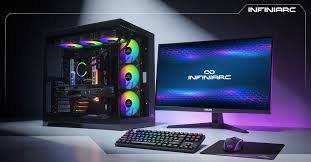
A Gaming PC is more than just a regular computer with colorful lights and a powerful processor. It is a system designed specifically to deliver smooth gameplay, fast response times, high-quality graphics, and an enjoyable gaming experience. Whether you are a casual player, an esports enthusiast, or someone who loves playing demanding AAA titles, choosing the right gaming computer can make a huge difference.
With so many processors, graphics cards, storage options, and pre-built systems available today, buying a Gaming PC can feel confusing. The good news is that you do not always need the most expensive machine to enjoy your favorite games. The key is understanding what each component does and choosing hardware that matches your gaming needs and budget.
What Is a Gaming PC?
A Gaming PC is a desktop computer built with hardware capable of running modern video games efficiently. Compared with a standard office computer, a gaming system usually includes a dedicated graphics card, a faster processor, more RAM, improved cooling, and a power supply designed to handle demanding components.
The main advantage of a Gaming PC is flexibility. You can choose individual components based on your requirements and upgrade them later. If your games become more demanding in the future, you can replace certain components instead of buying an entirely new computer.
Gaming PCs are also useful for more than gaming. A powerful system can handle video editing, streaming, graphic design, 3D applications, programming, and other demanding tasks. This makes a well-built gaming computer a versatile investment for both entertainment and productivity.
Why Choose a Gaming PC?
One of the biggest reasons people choose a Gaming PC is performance. A properly configured system can provide higher frame rates, better graphics, and faster loading times than many basic computers.
Another major advantage is customization. You can select the processor, graphics card, RAM, storage, case, cooling system, and other components according to your preferences. You can also choose the appearance of your setup, from a simple professional design to a full RGB gaming build.
Upgradability is another important benefit. Technology continues to improve, and games become more demanding over time. With a desktop Gaming PC, you can upgrade individual components when necessary. For example, you might add more RAM, install a larger SSD, or replace the graphics card to improve gaming performance.
A Gaming PC can also provide a better experience for competitive gaming. Games such as first-person shooters and competitive multiplayer titles benefit from high frame rates and low input latency. A responsive system can help players react more quickly and enjoy smoother gameplay.
The Most Important Gaming PC Components
Before buying a Gaming PC, it is important to understand its main components. Each part contributes to the overall performance of the system.
1. Graphics Card
The graphics card, commonly called the GPU, is one of the most important components in a Gaming PC. It is responsible for rendering images, textures, lighting, and visual effects.
If you want to play modern games at higher resolutions and settings, investing in a capable GPU is essential. However, buying the most expensive graphics card is not always necessary. Your ideal choice depends on the resolution and frame rate you want.
For example, someone gaming at 1080p may not need the same GPU as a player using a 4K monitor. It is better to match the graphics card with your monitor and gaming goals.
2. Processor
The CPU handles many of the calculations required by games and other applications. A modern multi-core processor can provide excellent gaming performance while also handling background applications, streaming, and productivity tasks.
When choosing a processor, consider both performance and compatibility. Your CPU needs to work with your motherboard, and you should also make sure your cooling solution is suitable for it.
For most gamers, a modern mid-range processor offers an excellent balance between price and performance. High-end CPUs can be useful for enthusiasts and people who also perform demanding professional tasks.
3. RAM
RAM, or memory, allows your computer to temporarily store data that applications are actively using. Having enough RAM helps games and other programs run smoothly.
For a modern Gaming PC, 16GB is often a practical starting point, while 32GB can be a better choice for users who multitask heavily, stream games, edit videos, or want additional headroom for future software.
It is also important to choose compatible memory with appropriate speed and configuration for your motherboard and processor.
4. Storage
Storage affects how quickly your computer starts, applications load, and games launch. Modern Gaming PCs commonly use SSDs because they are significantly faster than traditional hard disk drives for everyday tasks and game loading.
An SSD can make a system feel much more responsive. If you have a large game library, consider buying enough storage so that you do not constantly have to uninstall games to make room for new ones.
A combination of fast SSD storage and additional high-capacity storage can be a practical solution for gamers with large libraries.
5. Motherboard
The motherboard connects all the major components of your Gaming PC. It determines which processors, memory, storage devices, and expansion features your system can support.
When selecting a motherboard, do not focus only on its appearance or price. Check its compatibility with your CPU, the number of RAM slots, storage connections, USB ports, networking features, and upgrade options.
A good motherboard provides a stable foundation for the rest of the system.
6. Power Supply
The power supply unit, or PSU, provides electricity to every component in your computer. It is one of the components that should never be ignored.
A cheap or poorly matched PSU can create stability problems and potentially damage hardware. Choose a reliable power supply with sufficient wattage for your system, while leaving some additional capacity for future upgrades.
Pre-Built vs. Custom Gaming PC
One of the biggest decisions buyers face is whether to purchase a pre-built Gaming PC or build one themselves.
A pre-built system is convenient because the manufacturer selects compatible components, assembles the computer, and usually tests the finished machine. This is a good option for beginners or anyone who does not want to spend time researching and assembling hardware.
Building your own PC gives you more control. You can select every component and decide exactly where your budget goes. It can also be a rewarding learning experience.
However, building a computer requires research and patience. You need to understand compatibility, installation, cooling, cable management, and operating system setup.
Neither option is automatically better. The right choice depends on your technical knowledge, budget, and how much involvement you want in the building process.
Choosing a Gaming PC Based on Your Budget
Your budget should determine the type of Gaming PC you purchase, but it should not be the only factor.
For entry-level gaming, prioritize a balanced combination of CPU, GPU, RAM, and SSD storage. Avoid spending too much money on cosmetic features while sacrificing important performance components.
A mid-range Gaming PC is often the sweet spot for many players. It can provide strong performance without the extremely high price associated with enthusiast hardware.
High-end systems are designed for people who want maximum performance, high-resolution gaming, high refresh rates, advanced graphics settings, or extensive multitasking. These systems can be expensive, but they may be worthwhile for enthusiasts who want premium performance.
Cooling and Airflow Matter
Powerful gaming components produce heat, especially during long gaming sessions. Good cooling helps maintain stable performance and can improve the overall lifespan of your hardware.
A Gaming PC should have adequate airflow through the case. Fans should be positioned to move cool air into the system and warm air out.
CPU cooling is also important. Depending on the processor, workload, and personal preference, you may choose an air cooler or a liquid cooling solution.
You do not necessarily need an elaborate cooling setup. A simple, well-designed airflow configuration can be highly effective when the components and case are properly matched.
Gaming PC and Monitor Compatibility
Buying a powerful Gaming PC without considering your monitor can result in wasted performance.
If your monitor has a standard 60Hz refresh rate, you may not fully benefit from a system capable of producing extremely high frame rates. On the other hand, a high-refresh-rate monitor can make a powerful Gaming PC feel much more responsive.
Resolution also matters. A system designed for 1080p gaming has different hardware requirements from one intended for 1440p or 4K gaming.
Think about the complete setup rather than looking at the computer alone. Your monitor, keyboard, mouse, headset, and other accessories all contribute to the overall experience.
How to Keep Your Gaming PC Performing Well
Once you have your Gaming PC, regular maintenance can help keep it running smoothly.
Keep dust away from fans and ventilation areas, because excessive dust can restrict airflow and increase temperatures. Make sure your operating system and important drivers are updated when appropriate.
It is also a good idea to monitor temperatures and performance if you notice unusual noise, crashes, or sudden drops in frame rates. Keeping enough free storage space can also help maintain a responsive system.
Avoid installing unnecessary software, especially applications that constantly run in the background. A clean and organized system is easier to maintain and troubleshoot.
Final Thoughts
Choosing a Gaming PC does not have to be complicated. The best system is not necessarily the one with the highest price tag or the most RGB lighting. It is the computer that provides the performance you need while staying within your budget.
Start by deciding which games you want to play, what resolution and frame rate you expect, and whether you need the computer for tasks beyond gaming. Then choose a balanced combination of CPU, GPU, RAM, storage, motherboard, cooling, and power supply.
Whether you choose a pre-built system or create a custom build, a well-planned Gaming PC can provide years of enjoyable gaming and excellent overall computer performance. By understanding the purpose of each component and avoiding unnecessary upgrades, you can build or buy a system that delivers the right combination of performance, reliability, and value.