
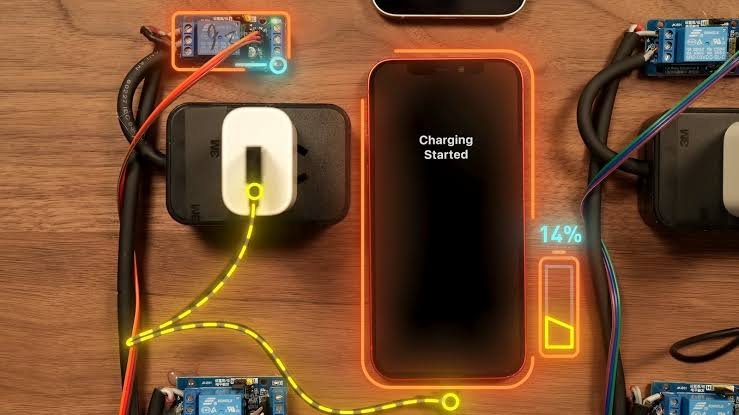
Fast charging has become one of the most useful features in modern smartphones. Instead of waiting hours for your phone to recharge, you can often get enough battery power for several hours of use in just a short charging session. This is particularly helpful when you are busy, traveling, or preparing to leave home.
However, there is a common concern among smartphone users: does fast charging damage your phone’s battery over time?
You may have heard that charging your phone at high wattages reduces battery life, that overnight charging is dangerous, or that you should always use a slow charger to protect your device. While these concerns have some basis in battery science, the complete picture is more complicated.
Modern smartphones include charging-management systems designed to regulate power, control temperatures, and reduce battery stress. Fast charging is generally safe when you use compatible equipment and follow the manufacturer’s recommendations. Nevertheless, charging conditions, especially heat, can influence how quickly your battery ages.
In this guide, we will explain how fast charging works, whether it affects battery health, which charging habits are worth changing, and how to keep your smartphone battery in good condition for longer.
What Is Fast Charging?
Fast charging is a technology that allows a smartphone to receive power more quickly than conventional charging methods.
Traditional charging systems generally deliver less power, while modern fast-charging systems can supply substantially more, depending on the phone, charger, cable, and charging protocol.
Charging power is measured in watts (W). For example, a compatible 25W charger can potentially deliver more power than a 10W charger. However, the phone does not necessarily draw the charger’s maximum rated power throughout the charging session.
The actual charging speed depends on several factors, including:
- The maximum charging power supported by your phone.
- The charger’s power output and compatibility.
- The cable’s capabilities.
- The battery’s current charge level.
- The phone’s temperature.
- The charging system’s power-management settings.
Many smartphones support standards such as USB Power Delivery, while some manufacturers use additional proprietary charging technologies.
For example, a phone designed for a particular high-wattage charging system may need a compatible charger and cable to achieve its advertised maximum speed.
The important point: Buying a charger with a higher wattage does not automatically make every phone charge faster. Your device controls how much power it accepts.
Does Fast Charging Damage Your Phone Battery?
Fast charging does not automatically damage your battery, but the heat and charging conditions associated with it can contribute to long-term battery degradation.
Most modern smartphones use lithium-ion or lithium-polymer battery technology. These batteries gradually lose capacity as they undergo charging cycles and age.
Battery degradation is a normal process. Over time, a battery that once lasted all day may need to be recharged more frequently, even if you use the phone in the same way.
Fast charging can increase the rate at which energy enters the battery, and charging at high power may generate additional heat. Excessive heat can accelerate the chemical processes responsible for battery aging.
However, smartphone manufacturers design charging systems to manage these risks. They may reduce charging power when the battery gets hot or approaches a high state of charge.
This means that a modern phone using a compatible fast charger under normal conditions is not necessarily experiencing harmful battery stress simply because it charges quickly.
Other factors also influence battery health, including:
- The phone’s operating temperature.
- How frequently the battery is charged and discharged.
- How long the battery remains at a very high charge level.
- The quality and compatibility of charging equipment.
- The battery’s age and overall condition.
Fast charging is therefore best understood as one factor among several that affect battery longevity, rather than something that inevitably ruins a battery.
How Does Fast Charging Affect Battery Health?
To understand the relationship between charging speed and battery health, it helps to look at how lithium-based batteries age.
1. Heat Can Accelerate Battery Aging
Heat is one of the most important factors affecting rechargeable battery longevity.
During charging, some energy is converted into heat. Higher charging power can increase heat production, although the amount depends on the charger, phone design, battery chemistry, and charging efficiency.
If the phone becomes excessively hot during repeated charging sessions, the battery may degrade more quickly.
This is why smartphones may reduce charging speed when temperatures rise. Some devices also display temperature warnings or temporarily pause charging when necessary.
Warmth during charging is not automatically a sign of damage. However, a phone that becomes unusually hot, repeatedly interrupts charging because of temperature, or displays a battery-temperature warning deserves attention.
To reduce unnecessary heat, avoid charging your phone under pillows, inside thick bedding, or in direct sunlight.
2. Charging at High Battery Levels Can Increase Stress
Lithium-ion batteries experience different levels of stress depending on their state of charge.
Keeping a battery near 100% for extended periods, particularly in warm conditions, can contribute to faster degradation than using more moderate charge levels.
This does not mean that charging your phone to 100% is harmful every time. Phones are designed to reach a full charge safely.
The concern is prolonged exposure to a high charge level, especially when combined with heat.
Some smartphones address this issue through optimized charging, adaptive charging, or charge-limit settings that delay charging to 100% or limit the maximum charge.
If your phone provides these features, using them may help preserve battery capacity over the long term.
3. Charging Speed Usually Slows as the Battery Fills
Fast charging does not generally operate at its maximum rate from 0% to 100%.
Many phones accept higher power when the battery is relatively low and reduce charging power as the charge level rises. This helps manage heat and protect the battery.
For example, a phone might charge rapidly during the early part of a session but take considerably longer to move from 80% to 100%.
The precise behavior varies by manufacturer, battery design, temperature, and charging technology.
This is also why a phone advertised as charging to 50% in a short time may take much longer to reach a full charge.
4. Battery Aging Happens Even With Slow Charging
Using a slow charger does not stop battery degradation entirely.
Batteries age through normal use, charging cycles, time, temperature exposure, and other chemical processes. Even a phone that is always charged slowly will eventually lose some of its original battery capacity.
Fast charging may influence the rate of degradation under certain conditions, but it is not the only factor that determines how long your battery lasts.
The goal is not to eliminate battery aging completely. It is to avoid unnecessary stress while keeping your phone convenient to use.
Fast Charging vs. Slow Charging: Which Is Better?
Both charging methods have advantages.
| Feature | Fast charging | Slow charging |
|---|---|---|
| Charging speed | Generally quicker | Generally slower |
| Convenience | Excellent when time is limited | Useful when time is available |
| Heat generation | May produce more heat at high power | Often produces less heat, depending on conditions |
| Battery impact | Depends on temperature, charging controls, and usage | Can reduce charging-related heat but does not eliminate battery aging |
| Best use | Quick top-ups and busy schedules | Routine charging when speed is not important |
A slower charger may be useful if it keeps your phone cooler and you do not need rapid charging. However, slow charging is not automatically better in every situation.
A well-designed fast-charging system can manage power and temperature effectively. Meanwhile, even a low-power charger can contribute to heat if the phone is used heavily, kept in a hot environment, or has a hardware problem.
Practical recommendation: Use fast charging when you need it, and use a slower charger when convenience allows and you prefer to minimize heat. You do not need to avoid fast charging entirely to maintain good battery health.
Is It Safe to Use Fast Charging Every Day?
For most modern smartphones, daily fast charging is generally safe when you use compatible, reputable charging equipment and the device remains within its intended operating conditions.
Your phone’s charging controller manages the power entering the battery. Depending on the design, it can adjust current, voltage, and charging speed as conditions change.
Nevertheless, the effect on battery longevity depends on how the phone is used.
For example, charging in a cool room with a compatible charger is a different situation from charging a phone in direct sunlight while playing a demanding game.
If you use fast charging every day, follow these practical guidelines:
- Use a charger that meets your phone manufacturer’s recommendations.
- Choose a cable that supports the required charging standard and power level.
- Keep the phone away from direct sunlight and excessive heat.
- Avoid covering the phone with bedding while it charges.
- Enable battery-protection features if your phone offers them.
- Pay attention to repeated temperature warnings or unusual charging behavior.
You do not need to obsess over every charging session. Consistent, sensible habits are more practical than trying to control every percentage point.
Does Fast Charging Overnight Damage Your Battery?
Charging your phone overnight is generally safe when using a properly functioning phone and compatible charging equipment.
Modern smartphones manage charging automatically and do not continuously force maximum charging power into the battery after it reaches 100%.
However, remaining at a high charge level for many hours can contribute to battery aging, particularly if the phone is warm.
That is why some phones include features such as optimized battery charging, adaptive charging, or configurable charge limits.
These features can reduce the time your battery spends at a full charge, depending on the device and your settings.
If you regularly charge overnight, consider the following:
- Enable optimized or adaptive charging if your phone supports it.
- Place the phone on a hard, well-ventilated surface.
- Avoid charging under a pillow or heavy blanket.
- Use a reputable charger and an undamaged cable.
- Consider a charge limit if your phone provides one and a full charge is not necessary every day.
You do not have to stop charging overnight simply because you are concerned about battery health. Using built-in battery-management features is a reasonable way to balance convenience and longevity.
Is It Bad to Use Your Phone While Fast Charging?
Using your phone while charging is not automatically harmful. You can usually send messages, browse websites, or perform other light tasks without causing a problem.
However, demanding activities can increase heat production.
For example, playing graphics-intensive games, recording high-resolution video, using navigation in direct sunlight, or running processor-heavy applications while charging can make your phone considerably warmer.
When the phone is already receiving power and generating heat, intensive use can increase the total thermal load.
This may cause the phone to reduce charging speed or temporarily limit performance.
If you want your phone to charge as quickly as possible, avoid demanding activities during the charging session.
For battery longevity, the main concern is not the simple act of using the phone while charging. It is whether the combined charging and usage conditions cause excessive heat.
Can You Use a Higher-Wattage Charger Than Your Phone Supports?
In many cases, yes, provided the charger follows a compatible charging standard and is from a reputable manufacturer.
For example, a phone that supports a maximum of 25W may work with a compatible 45W USB Power Delivery charger. The phone generally negotiates the power it can accept rather than automatically drawing the charger’s maximum rated output.
However, charging compatibility is not universal.
Some phones rely on proprietary charging protocols to achieve their highest speeds. A charger that works safely may still charge those phones more slowly than the original or specifically recommended charger.
Check the manufacturer’s guidance before buying a charger, particularly for phones that advertise unusually high charging wattages.
Avoid poorly made or counterfeit chargers, damaged cables, and accessories with unclear safety specifications.
Remember: A reputable, compatible charger with a higher maximum wattage is not inherently dangerous simply because its rating exceeds your phone’s charging limit. Compatibility and quality matter more than the number printed on the charger alone.
Should You Charge Your Phone to 100% Every Time?
No. You do not need to charge your phone to 100% every time, but doing so occasionally is perfectly normal.
For many lithium-ion batteries, avoiding repeated periods of extreme charge or discharge can help reduce long-term stress.
If your phone comfortably lasts through the day with an 80% charge, you may choose to stop charging around that level. Some smartphones provide a charge-limit feature that makes this easier.
On the other hand, if you need a full battery for work, travel, or emergencies, charging to 100% is reasonable.
A practical approach is to charge according to your daily needs rather than following rigid rules.
For example:
- If you spend most of the day near a charger, a moderate charge limit may be convenient.
- If you travel frequently, a full charge may be more useful.
- If you need to maximize battery longevity, consider avoiding prolonged periods at 100% in hot conditions.
There is no need to unplug your phone at an exact percentage every day to maintain a healthy battery.
Is It Better to Keep Your Battery Between 20% and 80%?
The 20%–80% rule is a useful guideline, not an absolute requirement.
Keeping your battery away from very low and very high charge levels much of the time can help reduce stress on many lithium-ion batteries.
However, modern smartphones are designed to handle ordinary charging habits, including reaching 100%.
If you can comfortably keep your phone within a moderate charge range, doing so may help preserve battery capacity over time. If that approach makes your phone inconvenient to use, there is little reason to follow it rigidly.
A good strategy is to avoid repeatedly letting the battery run completely flat, use charge limits if convenient, and prioritize temperature management.
Battery health is influenced by multiple factors, so no single percentage range guarantees a particular lifespan.
Does Wireless Fast Charging Damage the Battery More Than Wired Charging?
Wireless charging can generate additional heat because energy is transferred between coils rather than directly through a cable.
The amount of heat depends on the wireless charging system, alignment, charging power, case design, and surrounding temperature.
Fast wireless charging may therefore create more heat than a particular wired charging setup. However, this does not mean that every wireless charger is worse for battery health than every wired charger.
Modern phones and compatible wireless chargers use power-management systems to regulate charging. Charging efficiency also varies between devices.
To reduce unnecessary heat when charging wirelessly:
- Align the phone correctly with the charging coil.
- Use a compatible charger from a reputable manufacturer.
- Remove accessories that interfere with charging if the manufacturer recommends doing so.
- Avoid placing the charging pad in a hot environment.
- Switch to wired charging if wireless charging repeatedly makes your phone excessively hot.
If battery longevity is your main priority, a compatible wired charger may be a practical everyday option, particularly if it produces less heat in your setup.
How to Know Whether Fast Charging Is Affecting Your Battery
It can be difficult to determine whether fast charging is responsible for battery degradation because batteries naturally lose capacity over time.
However, certain signs may indicate that your battery needs attention.
Battery Life Has Noticeably Decreased
If your phone no longer lasts as long as it used to under similar conditions, its battery may have lost capacity. Background applications, weak cellular signals, software updates, and increased screen usage can also affect battery life.
Your Phone Becomes Unusually Hot
Some warmth during charging is normal. However, frequent excessive heat, temperature warnings, or charging interruptions deserve attention.
Charging Becomes Unpredictable
Unexpected charging pauses, sudden battery-percentage changes, or repeated charging failures can indicate an issue with the cable, charger, battery, or charging port.
The Battery Is Swollen
A swollen battery is a serious safety issue. If your phone’s screen or casing begins separating because of battery swelling, stop using and charging the device and seek professional service. Do not press, puncture, or attempt to remove the battery yourself.
If you suspect a problem, use your phone’s built-in battery-health tools where available or contact an authorized service provider.
10 Practical Tips to Protect Your Phone Battery
You do not need expensive accessories or complicated routines to look after your battery. A few simple habits can make a difference.
1. Avoid Excessive Heat
Heat management is one of the most important aspects of battery care. Keep your phone out of direct sunlight and avoid charging it under bedding or in other poorly ventilated spaces.
2. Use Compatible Charging Equipment
Choose chargers and cables that meet your phone manufacturer’s recommendations. Reputable accessories help ensure appropriate power delivery and safety protections.
3. Enable Battery Protection Features
Look for settings such as optimized charging, adaptive charging, battery protection, or a configurable charging limit.
The names and capabilities vary by manufacturer and software version.
4. Avoid Heavy Gaming During Charging
Demanding games and other intensive tasks can increase device temperature. If your phone becomes hot while charging, take a break from demanding applications until it cools.
5. Do Not Routinely Drain the Battery to 0%
You do not need to wait until your phone is almost completely empty before charging it. Charge when convenient, especially if you know you will need your phone later.
6. Remove Heat-Trapping Accessories When Appropriate
Some thick cases can make it harder for a phone to release heat. If your device becomes unusually warm while charging, follow the manufacturer’s advice about removing the case.
7. Keep Your Phone’s Software Updated
Software updates can include improvements to charging management, battery reporting, and power efficiency. Install updates from official sources.
8. Avoid Charging in Very Hot Environments
Charging in a hot car or direct sunlight can increase thermal stress. Move the phone to a cooler location if it becomes excessively warm.
9. Replace Damaged Cables and Chargers
Frayed cables, loose connectors, and damaged charging accessories should not be ignored. Replace them with compatible, reputable alternatives.
10. Do Not Worry About Every Charging Cycle
Battery degradation is unavoidable, and occasional charging to 100% or using fast charging when needed will not automatically ruin your phone.
Focus on avoiding excessive heat, using reliable equipment, and maintaining sensible charging habits.
Frequently Asked Questions
Does fast charging reduce battery life?
Fast charging can contribute to battery degradation when it creates excessive heat or other stressful charging conditions. However, modern phones regulate charging, and using a compatible fast charger under normal conditions is generally safe.
Is 65W or 120W fast charging bad for a phone?
Not automatically. A phone designed for 65W or 120W charging has a charging system intended to manage that power level. Battery impact depends on the battery design, temperature, charging controls, and usage. Use the charger and accessories recommended for your device.
Is slow charging always better for battery health?
No. Slow charging may reduce heat in some circumstances, but battery aging also depends on charge levels, temperature, and time. A well-managed fast-charging system can be suitable for everyday use.
Should I turn off fast charging to protect my battery?
You do not necessarily need to. If your phone allows you to disable fast charging and you do not need the extra speed, doing so may be reasonable. However, preventing excessive heat and using battery-protection features are also important.
Can I leave my phone charging overnight?
Generally, yes. Modern phones manage charging automatically. If you charge overnight regularly, use optimized charging or a charge limit when available and avoid covering the device with bedding.
Does fast charging damage the battery in the long run?
Battery aging occurs regardless of charging speed. Fast charging may influence the rate of degradation under certain conditions, especially when heat is excessive, but it does not inevitably cause premature battery failure.
Is it safe to use a third-party fast charger?
Yes, if the charger is from a reputable manufacturer and supports the appropriate charging standard and power requirements. Avoid counterfeit or poorly made accessories, and follow your phone manufacturer’s recommendations.
How long should a smartphone battery last?
Battery lifespan varies by device, battery chemistry, usage, temperature, and charging habits. Many users notice gradual capacity loss over several years, but there is no universal lifespan that applies to every phone.
Does fast charging make a phone explode?
Fast charging with compatible, properly functioning equipment is generally safe. Battery fires and other serious failures are uncommon but can occur due to manufacturing defects, physical damage, overheating, or unsafe charging accessories. Stop using a device that shows signs of battery swelling or other serious damage.
Final Verdict: Should You Use Fast Charging?
Fast charging is a convenient smartphone feature, and you generally do not need to avoid it out of fear that it will automatically damage your battery.
Modern smartphones are designed to regulate charging power and temperature. Although fast charging can contribute to battery aging under certain conditions, heat, prolonged exposure to high charge levels, and general battery wear are also important factors.
If you want to preserve your phone’s battery for longer, focus on a few practical habits:
- Use a compatible, reputable charger.
- Keep your phone cool while charging.
- Enable optimized charging or battery-protection features.
- Avoid prolonged heat exposure.
- Charge according to your daily needs instead of following strict percentage rules.
You can use fast charging when you need a quick power boost and charge more slowly when convenient. There is no need to sacrifice everyday convenience to protect your battery.
The bottom line: Fast charging is generally safe when used correctly. Rather than worrying about charging wattage alone, focus on temperature, equipment quality, and sensible charging habits to help your smartphone battery stay healthy for as long as possible.