
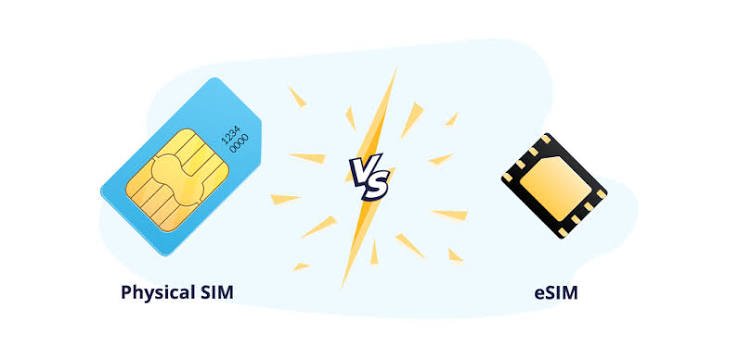
Choosing a new smartphone involves more than comparing cameras, battery life, processor performance, and storage. Another important feature to consider is how your phone connects to a mobile network. Traditionally, smartphones have used physical SIM cards, but eSIM technology is becoming increasingly common in modern devices.
An eSIM allows you to activate a mobile plan digitally without inserting a traditional plastic SIM card. This can make switching carriers, managing multiple mobile plans, and connecting to networks while traveling more convenient. However, physical SIM cards still offer several advantages, particularly for people who frequently change phones or prefer a simple, familiar setup.
So, which option is better in 2026? The answer depends on your smartphone, mobile carrier, travel habits, and personal preferences.
In this guide, we will explain the differences between eSIM and physical SIM cards, compare their advantages and disadvantages, and help you decide which option makes the most sense for your needs.
What Is a Physical SIM Card?
A physical SIM, or Subscriber Identity Module, is a small removable card that connects your smartphone to a mobile network. It contains information that allows the carrier to authenticate your subscription and provide services such as calls, text messages, and mobile data.
Most modern smartphones that support physical SIM cards use the nano-SIM format. This tiny card fits into a dedicated SIM tray, which can usually be opened using a SIM-eject tool.
One of the biggest advantages of a physical SIM is its simplicity. If you purchase a compatible unlocked phone, you can often move your SIM card from your old device to your new one and continue using your existing mobile plan.
However, the process is not always completely automatic. Your new phone must support the carrier’s network, and some plans may require additional activation or security verification.
Physical SIM cards are widely supported, although some newer smartphone models no longer include a physical SIM tray.
What Is an eSIM?
An eSIM is an embedded SIM built into a compatible device. Unlike a physical SIM card, it does not need to be removed or inserted.
Instead, your mobile carrier provides a digital SIM profile that you install on your smartphone. Depending on the carrier and device, activation may involve scanning a QR code, using a carrier app, transferring a plan from another phone, or following an activation process in the phone’s settings.
Once activated, an eSIM can connect your device to the carrier’s mobile network in much the same way as a physical SIM.
Many modern smartphones support storing multiple eSIM profiles, although the number of profiles that can be stored and the number that can be active simultaneously vary by device.
It is important to understand that an eSIM is not a separate type of mobile network. It is simply a different way of provisioning your mobile subscription.
If your carrier supports eSIM and your smartphone is compatible, you can generally access the same basic mobile services available through a physical SIM plan.
eSIM vs. Physical SIM: Key Differences
Here is a quick comparison of the two technologies.
| Feature | eSIM | Physical SIM |
|---|---|---|
| Installation | Digital activation | Insert a SIM card |
| Physical card required | No | Yes |
| Switching phones | Digital transfer or carrier reactivation may be required | Often as simple as moving the card |
| Carrier switching | May be available through digital activation | Usually requires a compatible physical card |
| Travel convenience | Easy to purchase and activate supported travel plans | Useful when buying local prepaid SIM cards |
| Multiple profiles | Can store multiple profiles on supported devices | Depends on the number of physical SIM slots |
| Device compatibility | Requires eSIM support | Requires a compatible SIM slot |
| Risk of physical damage | No removable SIM card to damage or lose | Card and tray can be damaged or lost |
| Phone security | Cannot be physically removed from the device | Can be removed from the SIM tray |
| Network performance | Generally comparable when other conditions are equal | Generally comparable when other conditions are equal |
Neither technology automatically provides faster mobile data or better call quality. Network coverage, carrier infrastructure, phone antennas, supported frequency bands, and plan restrictions are more important factors.
Advantages of eSIM
1. No Physical SIM Card Needed
One of the most obvious benefits of eSIM technology is that you do not need to handle a tiny plastic card.
There is no SIM tray to open, no removable card to misplace, and no need to visit a shop simply to obtain a replacement physical SIM when digital activation is supported.
This can make setting up a new phone more convenient, particularly for people who are comfortable managing their mobile plans through apps and online accounts.
2. Easier Access to Travel Data Plans
eSIM can be particularly useful for international travelers.
Instead of searching for a shop selling local SIM cards after arriving at your destination, you can often purchase a compatible travel eSIM online and install it before departure.
Depending on the provider, you may be able to select a plan based on the country or region you intend to visit. Some plans provide data only, while others also support calls and text messages.
This is especially convenient if you want mobile data for navigation, messaging, booking transportation, or accessing travel information as soon as you arrive.
However, check the coverage, validity period, data allowance, activation rules, and roaming restrictions before purchasing a travel eSIM.
3. Convenient Management of Multiple Mobile Plans
Some smartphones allow you to store several eSIM profiles, making it easier to manage different mobile subscriptions.
For example, you could maintain a personal number and a work number on one device, provided your phone and carriers support the required configuration.
You might also keep your regular mobile plan while adding a separate travel data plan for an overseas trip.
The ability to store multiple profiles does not necessarily mean all of them can operate simultaneously. Check your phone’s specifications to determine how many lines can be active at once.
4. No SIM Tray Required
Because an eSIM is embedded in the device, manufacturers do not need to provide a removable SIM tray for eSIM-only models.
This can give manufacturers more flexibility when designing smartphones, although it does not automatically make a phone waterproof, thinner, or more durable.
The practical advantage is that there is one less removable component to manage.
5. Less Vulnerable to SIM Card Theft
A physical SIM can be removed from a stolen phone if the device is accessible. An eSIM cannot be removed in the same way because it is built into the hardware.
This can make it harder for someone to disconnect your mobile subscription simply by taking out the SIM card.
However, eSIM is not a complete theft-prevention solution. Someone who gains access to an unlocked device or your carrier account may still create security risks.
Use a strong screen lock, enable account security features, and contact your carrier promptly if your phone is lost or stolen.
Disadvantages of eSIM
Despite its advantages, eSIM technology is not ideal for everyone.
1. Not Every Smartphone Supports eSIM
Although eSIM support is increasingly common, not all smartphones include it.
Some budget devices, older models, and particular regional variants may support only physical SIM cards.
Even when a phone model supports eSIM in one country, a different regional version may have different capabilities.
Before purchasing an eSIM plan, confirm that your exact smartphone model supports eSIM and that your carrier supports activation on that device.
2. Switching Phones Can Require Additional Steps
With a physical SIM, moving your mobile subscription to another compatible phone is often straightforward: remove the card from one device and insert it into the other.
With an eSIM, transferring your plan may involve a built-in transfer feature, a carrier app, a QR code, or assistance from your mobile provider.
Some carriers make the process nearly automatic, while others require additional verification or reactivation.
This can be inconvenient if your phone breaks unexpectedly and you need to restore service quickly on a replacement device.
3. Carrier Support Can Be Limited
Not every carrier or prepaid plan supports eSIM. Availability also varies by country and subscription type.
Some providers offer eSIM activation entirely online, while others restrict it to certain devices or require customer-service assistance.
If you rely on a specific carrier, check its eSIM policies before buying a phone that lacks a physical SIM slot.
4. Device Problems Can Make Recovery More Complicated
If an eSIM-only phone is damaged or stops working, you generally cannot simply remove the SIM and insert it into a spare phone.
You may need to transfer the profile, activate a replacement eSIM, or contact your carrier.
For people who keep an inexpensive backup phone for emergencies, this is an important consideration.
Advantages of Physical SIM Cards
1. Simple Transfer Between Compatible Phones
The biggest advantage of a physical SIM card is how easy it can be to move between devices.
If your primary phone runs out of battery, becomes damaged, or needs repair, you can often insert your SIM into another compatible unlocked phone and restore mobile service.
This convenience is especially useful for people who own multiple phones or frequently test different devices.
Carrier restrictions, device compatibility, and security requirements may still apply, but the process is often straightforward.
2. Widely Available Across Devices and Carriers
Physical SIM cards remain supported by a large range of smartphones, including older devices and many affordable models.
They are also useful in markets where eSIM availability is limited or where local prepaid SIM cards are widely sold.
If you prefer having a choice of phones across different price ranges, physical SIM compatibility can give you greater flexibility.
3. Convenient for Local Prepaid Plans
When traveling internationally, some people prefer buying a physical prepaid SIM from a local mobile operator.
This can be useful if you want a local telephone number, need a plan that supports traditional calls and text messages, or are visiting a country where travel eSIM options are limited.
A physical SIM may also be a convenient option if your phone does not support eSIM.
However, buying a local SIM can require visiting a store, presenting identification where required, and checking whether the SIM is compatible with your device.
4. No Digital Activation Required in Many Cases
A physical SIM often works after insertion into a compatible device, provided the subscription is active and the phone supports the carrier’s network.
This can be simpler for people who are unfamiliar with QR codes, activation apps, or digital SIM transfers.
Some physical SIM plans still require carrier activation, so inserting the card does not guarantee that service will work immediately.
Disadvantages of Physical SIM Cards
Physical SIM cards are familiar and convenient, but they also have limitations.
1. They Can Be Lost or Damaged
Nano-SIM cards are very small and can be easy to misplace. The SIM tray can also become damaged if handled incorrectly.
Although these problems are not particularly common with normal use, they can be frustrating when you need to restore service quickly.
2. They Require a Compatible SIM Slot
Some modern smartphones, including certain models sold in the United States, no longer have a physical SIM tray.
If you purchase one of these devices, you cannot insert a traditional SIM card, even if your carrier normally provides physical SIMs.
Always check the specifications of the exact model and region before purchasing a phone.
3. Physical SIMs Are Easier to Remove From a Stolen Phone
If a thief gains access to a phone and removes its physical SIM, they may interrupt your mobile service or potentially misuse the number in certain circumstances.
A SIM PIN can help protect a physical SIM from unauthorized use, although it is important to configure it correctly and understand the consequences of repeated incorrect PIN attempts.
Protecting your carrier account and securing your phone remain essential regardless of which SIM technology you use.
Does eSIM Provide Better Network Speed or Coverage?
No. An eSIM does not inherently provide faster mobile internet, stronger reception, or better call quality than a physical SIM.
Both technologies allow a carrier to authenticate your mobile subscription and connect your phone to its network.
Your actual experience depends on factors such as:
- Your carrier’s network coverage in your location.
- Whether your phone supports the carrier’s relevant frequency bands.
- Network congestion and signal strength.
- Your mobile plan and data-speed restrictions.
- Your phone’s modem, antennas, and software.
- Whether your device supports the available 4G or 5G network features.
For example, switching from a physical SIM to an eSIM will not automatically improve a weak signal in your home.
If you are experiencing poor reception, check your carrier’s coverage, device compatibility, and network settings before assuming the SIM format is responsible.
Which Is Better for International Travel?
For frequent international travelers, eSIM can be the more convenient option, particularly when visiting destinations with good travel eSIM availability.
You can often purchase a data plan before departure, install it on your phone, and activate it according to the provider’s instructions.
A common setup is to keep your regular number active for calls or text messages while using a travel eSIM for mobile data. Whether this works as intended depends on your phone’s dual-SIM capabilities, carrier settings, and roaming arrangements.
Before traveling, consider the following:
- Check device compatibility: Confirm that your phone supports eSIM and is not restricted to a carrier that prevents the plan from working.
- Review the plan: Some travel eSIMs provide data only and do not include a local telephone number.
- Check activation timing: Certain plans begin when installed, while others begin when they connect to a supported network.
- Understand roaming charges: Keeping your regular SIM active may lead to charges if your phone uses it for roaming calls, messages, or data.
- Save installation details: Follow the provider’s instructions and keep the necessary activation information available.
Physical SIM cards can still be a better choice in destinations where local SIMs are cheaper, offer better coverage, or are easier to obtain.
The best option depends on your destination and how you intend to use your phone.
Is eSIM More Secure Than a Physical SIM?
Both technologies can be secure when used properly, but they have different practical risks.
An eSIM cannot be physically removed from a device in the same way as a removable SIM card. This may make it harder for a thief to disconnect the phone from its mobile subscription by simply opening the SIM tray.
However, eSIM accounts can still be vulnerable to social engineering, compromised carrier accounts, unauthorized transfers, and other forms of account misuse.
Physical SIMs have their own security risks, including unauthorized removal and SIM-swap-related attacks. A SIM swap occurs when an attacker fraudulently convinces a carrier to transfer a victim’s phone number to another SIM or device.
To improve security with either option:
- Use a strong screen lock and enable the phone’s tracking and remote-lock features.
- Protect your mobile carrier account with a strong password and any available additional authentication.
- Ask your carrier about account PINs, number-transfer protection, and SIM-swap safeguards.
- Avoid sharing activation QR codes or account verification codes with other people.
- Contact your carrier immediately if your phone or mobile service is unexpectedly lost.
Neither eSIM nor physical SIM guarantees complete security. Your account protection and device security practices matter considerably.
Can You Use eSIM and Physical SIM at the Same Time?
Yes, many smartphones support dual-SIM functionality that allows an eSIM and a physical SIM to be used together.
This can be particularly useful if you want to maintain two telephone numbers on one device.
For example, you could use one line for personal calls and messages and another for work. Alternatively, you could keep your regular physical SIM for your primary number and add an eSIM for travel data.
However, dual-SIM functionality differs between devices. Some phones support two active eSIMs, while others support an eSIM and a physical SIM or a different combination.
Even if two lines are active, certain functions may be limited. For example, mobile data may use only one selected line at a time, and call-handling behavior depends on the phone and carrier.
Before buying a phone for dual-SIM use, check the manufacturer’s specifications and confirm that your carrier supports the configuration you want.
How to Switch From a Physical SIM to an eSIM
If your smartphone and carrier support eSIM, switching is often straightforward.
- Check compatibility. Confirm that your device supports eSIM and that your carrier offers the service for your plan.
- Request an eSIM. Use the carrier’s app, website, or customer-service process to obtain an eSIM profile.
- Follow the activation instructions. Depending on your device and carrier, you may scan a QR code, use an app, or complete a direct transfer.
- Verify your connection. Check that calls, text messages, and mobile data work as expected.
- Confirm your old SIM’s status. When a number is transferred to an eSIM, the previous physical SIM may stop working. Do not assume both will remain active.
The exact steps vary by smartphone manufacturer and carrier. If you are transferring an important number, follow the carrier’s instructions carefully and avoid deleting an existing eSIM profile until you understand how to restore it if necessary.
What Should You Check Before Buying an eSIM-Only Smartphone?
An eSIM-only phone can be convenient, but it is worth checking a few details before purchasing one.
Carrier Compatibility
Confirm that your current carrier supports eSIM on the exact phone model you plan to buy. If you expect to switch providers later, check whether your likely alternatives also support eSIM.
Phone Unlock Status
A carrier-locked phone may restrict which mobile plans you can use. If flexibility matters to you, check the device’s unlock status and the carrier’s unlocking policies.
Travel Requirements
If you travel regularly, investigate whether your usual destinations have suitable travel eSIM plans. Also check whether you need a local telephone number rather than data-only service.
Backup Options
Consider what you would do if your phone broke or became unavailable. Find out how your carrier handles replacement devices and eSIM transfers.
Dual-SIM Support
If you use separate personal and work numbers, confirm that the phone supports your preferred combination of active SIMs and that both carriers are compatible.
These checks can help you avoid inconvenience after purchasing a new smartphone.
Frequently Asked Questions
Is eSIM better than a physical SIM?
eSIM is often more convenient for digital activation, managing multiple plans, and purchasing travel data. Physical SIMs can be better for quickly moving service between compatible phones and using devices that do not support eSIM.
Does eSIM drain more battery than a physical SIM?
There is no universal rule that eSIM consumes more battery than a physical SIM. Battery life depends primarily on network conditions, signal strength, modem behavior, software, and how you use your device.
Can I keep my existing phone number when switching to eSIM?
In many cases, yes. Your carrier can often convert your existing subscription to an eSIM without changing your phone number. The exact process depends on the carrier and plan.
Can I change back from eSIM to a physical SIM?
Often, yes, if your phone supports a physical SIM and your carrier allows conversion back to a physical card. You may need to request a replacement SIM or complete a carrier-specific process.
What happens to my eSIM if I reset my phone?
It depends on the device and the reset options you select. Some reset processes allow you to retain an eSIM, while others may delete it. Check your phone’s instructions and your carrier’s recovery process before performing a factory reset.
Can I use eSIM without Wi-Fi?
Initial setup may require an internet connection, depending on the phone and carrier. Once activated, an eSIM connects to the mobile network like a physical SIM. You do not need Wi-Fi for ordinary cellular service when mobile coverage is available.
Is eSIM available on budget smartphones?
Some affordable smartphones support eSIM, but many do not. Support varies by manufacturer, model, and region. Always check the exact device specifications before buying a plan.
Should I choose eSIM or physical SIM for my next phone?
If you want convenient digital activation, use multiple plans, or travel frequently, eSIM is worth considering. If you regularly switch phones, rely on older devices, or prefer traditional prepaid cards, physical SIM support can be valuable.
Final Verdict: eSIM vs. Physical SIM
Both eSIM and physical SIM cards can provide reliable mobile connectivity. Neither is automatically faster or better for every smartphone user.
Choose eSIM if you:
- Prefer digital activation and easy access to supported mobile plans.
- Travel internationally and want to purchase travel data before arrival.
- Want to manage multiple mobile subscriptions on a compatible phone.
- Are comfortable using carrier apps and digital transfer procedures.
Choose a physical SIM if you:
- Frequently move your number between compatible phones.
- Use older smartphones or budget devices without eSIM support.
- Prefer buying local prepaid SIM cards while traveling.
- Want a removable SIM that can be transferred quickly to a backup phone.
If your smartphone supports both technologies, you may not need to choose just one. Using a physical SIM for your primary number and an eSIM for travel or a second line can provide a practical combination of flexibility and convenience.
Ultimately, the best choice depends on your phone, carrier, and lifestyle. Before buying your next smartphone, check its SIM compatibility and your carrier’s activation policies so you can choose the option that makes staying connected as simple as possible.